Monday, September 8, 2008

More on Cloud Computing for Law Firms

The Law Firm Knowledge Management Blog, with postings on knowledge management, enterprise 2.0, legal technology and the practice of law

TUESDAY, SEPTEMBER 9, 2008

By Doug Cornelius  

http://kmspace.blogspot.com/2008/09/more-on-cloud-computing-for-law-firms.html

Cloud computing has been in my mind lately. Either there are more conversations going on or I am just noticing them more. I ran across this post by Maggie Fox of Social Media Group: You store your money in the cloud - why not your data?

Maggie writes:

"You already store your money in the cloud. Your employer does not give you a bag of gold ingots on payday. They electronically transfer funds to a third party. Most of us are so comfortable with this that we don’t even think about it. . ."
So why should we so uncomfortable with keeping our documents and enterprise information in the cloud.  Maggie points out that there needs a more robust competitive environment for providers and government regulations need to be in place to make it viable.  The recent mistake on Google Chrome's Terms of Service [See: Making Terms of Service Clearer from the Official Google Blog.] One sided terms of service with no liability for a loss of data will not be acceptable for a business to embrace cloud computing.

The challenge will be determining the value of lost data. If the bank looses your $100 deposit, they owe you a $100. If the cloud computing provider loses 100GB data, how much is that data worth?

Of course the enterprise is just as capable of wiping out its own data on sources inside firewall. 

Yesterday, I posted on knowledge management in the cloud through Practical Law: Knowledge Management and Practical Law Company. Sunday, I posted about the Xconomy cloud computing conference. Both of which came from my Cloud Computing and Law Firms post last week.

http://kmspace.blogspot.com/2008/09/more-on-cloud-computing-for-law-firms.html

Eco friendly CDs and Green printing


Date Posted on Sep 7, 2008 


It’s impossible to even think of computing without CD’s. Be it loading program on a lap top or watching a movie or storing backups of all your stuff CD’s are built to last. But that is where the problems raise. They are built to last longer than you might need them, so when you throw it away, it just adds to what has been labeled as e-junk foiling up a landfill in some part of the city. Multiply this by the sheer amount of people who use them. And you would probably have enough shiny discs to make a small mountain. There is an awful lot of plastic that goes into a CD. And the problem is that it lasts and lasts much like an unwanted house guest.

But there are ways to get around this from buying CD’s that have less plastic to ones that have a label which says they are environmentally friendly, to even buying them without the extra plastic packaging . A lot of people are catching onto this new trend.

Although there seems to be no alternative to using polycarbonate plastic in the production of CDs, the first green option is to reduce the number of CDs that are used. For starter use a blank DVD that can pack in a lot of information and you would not need an armload of them.

Unless you are using a rewriteable CD, you can only write information onto a CD once. So why not buy a pen drive with flash memory? They cost more, but you can use them over and over again.

The next time you head out to buy blank CDs, buy them on spindles on bulk and not in the individual plastic cases that each one comes with. You don’t need the jewel cases.

A lot of CD’s these days are made from packaging that is recycled. Right down to the inks that are used in the inlay and cover printing. For example the inks that are used in eco-friendly CDs are made from vegetables oil (linseed oil being an industry preference here) that are mild and ecologically sensitive

Look for CDs that have labels on them that state this. Look for CDs that come in cardboard or paper cases. Now you might think that this is an odd idea, as paper comes from trees and our forests are shrinking. However, between two options this is a better this is a better idea as using trees is better than using plastic. Trees are a renewable resource. Forests can, and are being re-planted while plastics made from petroleum which, as we all know is not only a non-renewable resource, but is the cause of many wars in the world.

It might cost a tad more to purchase new technology, but it is always cheaper in the long run for us, and the environment. The all pervasive nature of technology draws heavily from both environment and precious energy resources. An average PC wastes nearly half its power and the server consumes nearly one third. In addition, poor practices in disposal and recycling of technology products pose a hazard to the environment. However, technology is now gradually stepping up its green awareness and some of the biggest names in technology are leading this environmental push.

A simpler option, one should try Green Print that is www.printgreener.com. This is a tiny application that sifts through web pages and filters out the unwanted content before going to print.

As soon as the Green Print is installed the user will find two new entries in his printer list. The first one is called Green Print, which is the virtual printer that culls out waste pages. Basically, this application wedges itself between web browser (Internet Explorer or Fire fox) and printer, thus turning it self into a virtual printer. This means that instead of firing printouts to regular printer, it turns them over to Green Print. It will then checks for waste pages, cut them from the print list, and hand them over to the actual printer. Green Print also allows to save pages as a PDF file.

http://www.citeman.com/index.php/eco-friendly-cds-and-green-printing/

© Copyright 2008 by Citeman Network. All Rights Reserved.

Sunday, September 7, 2008

Cloud Computing - New Buzz Word To Describe New Trend


September 7th, 2008 at 11:42 am

Computer geeks do so love using weird and oddly poetic buzz words to describe new trends.  From these formidable minds, we mere mortals were handed such gems as “phishing”, “blog”, “spam”, “digg” and “cookies”. Yes, cookies.

Here’s another one that you’ve probably heard being mentioned in your travels on the internet: cloud computing.

It does sound a bit up in the air, so I’m going to try and describe it in as simple a way as I can.

At its most basic level, cloud computing is an internet-based service that you can use - without having to understand the technology behind it - to satisfy whatever computer need you may have.

In other words, its using software available “in the clouds” of the internet, so to speak. You do whatever you want done via the internet, with software installed on a “virtual” computer.

An obvious example is web-based email services, such as Yahoo, Hotmail, and Gmail. You can send, receive and store email on the internet, without having to install any software on your machine.

Another example is Google’s document service where you can open any document on the internet, change it, and save it again. You don’t need to buy any software, or install any software on your computer. If you have the file and an internet connection, you can open it and change it.

Of course, this is a very slimmed down definition of cloud computing. The term actually includes a broad spectrum of technologies. 

Full article: Via iafrica.com

http://www.impactlab.com/2008/09/07/cloud-computing-new-buzz-word-to-describe-new-trend/

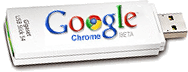
Google Chrome goes portable: Carry it on a USB Flash drive


Posted Sep 4th 2008 3:00PM by Brad Linder

Want to take Google's new web browser Chrome for a spin, but don't want to install anything on your computer?  While Google hasn't officially released a portable version, the browser is open source. So just a few days after the launch of Google Chrome, an independent developer has released Portable Chrome.

Portable Chrome comes as an 11MB self extracting file. When you run the executable, all the files you need to run Chrome will be loaded to the directory of your choice. Just click on ChromeLoader.exe to launch Google Chrome. And that's pretty much it. The browser includes all the same features you'll find in the original version of Chrome, including a super fast JavaScript engine, incognito mode, and the ability to run tabs as separate process.

All contents copyright © 2003-2008, Weblogs, Inc. All rights reserved

Download Squad is a member of the Weblogs, Inc. Network.


Friday, September 5, 2008

Google’s Top 10 Cloud Computing List


Posted by Sam Diaz @ 11:16 am

Sam Diaz: At the Office 2.0 conference in San Francisco Google delivers a "Top 10 Things I Can Do in the Cloud That I Couldn't Do A Year Ago." No surprise that many of the tasks on this list revolve around the search giant's cloud offerings.

READ FULL STORY

Also read: Office 2.0 day one coverage

10. Anything Everything on the go

9. Search through ALL my mail

8. Chat with customers and partners in any language

7. Collaborate simply and securely on projects with Sites and Docs

6. Organize all my business travel with email

5. Easily collect data from co-workers and customers in Forms

4. Build any scalable business application on the cloud platform

3. Use online templates for documents, spreadsheets and presos

2. Run FAST, secure, and stable web apps

And finally, the No. 1 thing I can do in the cloud that I couldn’t do a year ago…

1. Securely share Video in Apps

OK, maybe some of these things were around a year ago. But the overall theme is that the cloud offers more flexibility today than it did a year ago. What are you doing in the cloud today that you weren’t do a year ago? Glotzbach said his original list had 30-40 items but he cut it down. As for myself, via Facebook, I’m reconnecting with people that I drifted away from and staying connected with people who otherwise might vanish from my day-to-day life. And I can stay connected regardless of where I am or which device I use.

What would you add to the list?

READ FULL STORY

Also read: Office 2.0 day one coverage

http://blogs.zdnet.com/BTL/?p=9898&tag=nl.e539

© 2008 CNET Networks, Inc., a CBS Company. All rights reserved. 

Review: Dell Joins the Netbook Fray


09.04.08

Once thought to be a dying breed, UMPCs (also known as netbooks) have hung around the laptop market and are finally gaining some momentum. As more people look for inexpensive, lightweight secondary laptops to fulfill basic computing needs like Web surfing and e-mail, they are turning toward UMPCs. Recognizing this trend, Dell joins the game with the Inspiron Mini 9 ($399 direct for XP version with E-Value code, regularly $474), sharing space with such systems as the ASUS EeePC 900, the HP 2133 Mini-Note PC , the Acer Aspire One, the MSI Wind, and the Lenovo IdeaPad S10. Despite all the time Dell has had to develop a great product, the final result isn't quite enough to overtake the MSI Wind, our Editors' Choice in this category.

red arrow Read the Dell Inspiron Mini 9 full review

Bottom Line

The Dell Inspiron Mini 9 doesn't advance the development of UMPCs, but it does give you a solid system and a great price.

Pros

Runs the Intel Atom platform. Weighs only 2.3 pounds. Very responsive mouse buttons. Well-priced with eValue code.

Cons

Keyboard is too small. Needs a bigger battery option. Limited to SSD hard drive option.

http://www.pcmag.com/article2/0,2817,2329393,00.asp

Copyright © 1996-2008 Ziff Davis Publishing Holdings Inc. All Rights Reserved.

Pencils, schmencils, I need a laptop - Globe and Mail


TRALEE PEARCE

From Tuesday's Globe and Mail

Remember when back-to-school supplies consisted of pencils, erasers and a few crisp, new notebooks in primary colours? Now that the cellphone is ubiquitous and kids have TVs in their bedrooms, the laptop, it seems, is the universal - and in this store, international - must-have.

It helps that prices have dropped enormously in the past five years - shoppers tonight are considering models that cost about $600.

http://license.icopyright.net/user/external.act?content_id=8142425


© Copyright CTVglobemedia Publishing Inc. All Rights Reserved.

About CherryPal for Everyone (CP4Every1 or CPFE)

CP4Every1 is constantly crawling the web (on human hands and knees) to find unique information of value regarding green technology, cheap and reliable connectivity, personal, portable and sustainable industry developments, future and social/cultural transformative technology, political relevance and news that is NOT just another re-posting of the same press release pushed out by the industry.

Please note that all copyrights and links to original material are provided and respected. NO robots were used to post content.

Your comments are invited.


Enter your Email to receive CPFE Updates


Preview Powered by FeedBlitz

ENTER CODE CPP206

ENTER CODE CPP206
for $10 off purchase price
AEoogle

Search

Scroll to bottom for Google Custom Search Results

Search Results

Other CherryPal Brand Angel Blogs